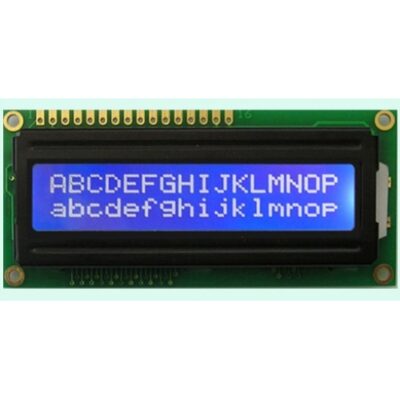

Description
This 1602 LCD display with I²C interface soldered enables you to drive a standard 16×2 character LCD using only two wires (SDA & SCL) instead of many data pins. The built-in PCF8574 I/O expander handles the parallel-to-I²C conversion, making it ideal for microcontroller projects with limited I/O pins.
Features include adjustable contrast via potentiometer, optional backlight control (jumper), standard 5V operation, and compatibility with popular Arduino & Raspberry Pi libraries. With this module, you can neatly integrate LCDs into your projects with minimal wiring complexity.
✅ Key Features
I²C interface built in (PCF8574)
16×2 character LCD (1602)
Reduces wiring: only SDA, SCL, VCC, GND needed
Standard supply voltage: 5V
Adjustable contrast via onboard potentiometer
Jumper for LCD backlight enable/disable
Default I²C address: 0x27 (often configurable)
Compatible with LiquidCrystal_I2C and Wire libraries
Ideal for Arduino, ESP, Raspberry Pi, and other microcontrollers
Specifications
| Parameter | Value / Description |
|---|---|
| Display Type | 1602 (16 characters × 2 lines) |
| Interface | I²C (PCF8574 I/O expander) |
| Operating Voltage | 5V DC |
| I²C Address (Default) | 0x27 |
| Backlight Control | Via jumper or solder pad |
| Contrast Adjustment | Potentiometer onboard |
| Compatibility | Arduino, ESP32, Raspberry Pi, etc. |
FAQ
Q1: How many pins does this module use?
Only 4 wires: VCC, GND, SDA, SCL — instead of the usual 14+ wires for direct LCD control.
Q2: How do I change the I²C address?
Some modules include solder jumpers or pads to set alternate addresses (e.g. 0x3F).
Q3: Can I use it with 3.3V logic?
It’s designed for 5V. For 3.3V systems you may need level shifting or ensure the module’s I²C lines are tolerant.
Q4: Which library should I use in Arduino?
Use LiquidCrystal_I2C or similar — most support the PCF8574‑based displays directly.
Q5: Does the backlight always stay on?
It depends on the module. Many allow you to disable the backlight via jumper to save power.
Meta Title
1602 LCD Display with I²C Module Soldered – 16×2 Character | Arduino Compatible
Meta Description
Buy 1602 character LCD with I²C module soldered – 16×2 display with PCF8574. Reduce wiring, works with Arduino & Raspberry Pi, includes contrast and backlight control.
Test Code for Arduino for this I2C Module
#include <Wire.h>
#include <hd44780.h> // main hd44780 header
#include <hd44780ioClass/hd44780_I2Cexp.h> // i2c expander i/o class header
hd44780_I2Cexp lcd; // declare lcd object: auto locate & auto config expander chip
//Pins for the LCD are SCL A5, SDA A4
#include <Wire.h>
void setup()
{
lcd.begin(16, 2);

lcd.clear();
lcd.setCursor(0, 0);
lcd.print(F("Test by"));
lcd.setCursor(0, 1);
lcd.print(F("Robotech Shop"));
delay(2000);
}
void loop()
{
}